DA – Woo Read More
The DA – Woo Read More widget lets you display a “Read More” or “View Details” button for your WooCommerce products. It dynamically links to the single product page, allowing visitors to explore complete product details. You can customize the button text, style, and alignment to fit your store’s design.
The DA- Woo Read More widget offers the following controls.
Content
Read More Settings
- Read More Text: Enter the button text.
- Icon: Choose the icon that shows with text.
- Icon Position: Choose the position of icon.
- Icon Spacing: Specify the space between icon and text.
- Align: Select the alignment of read more button.

Style
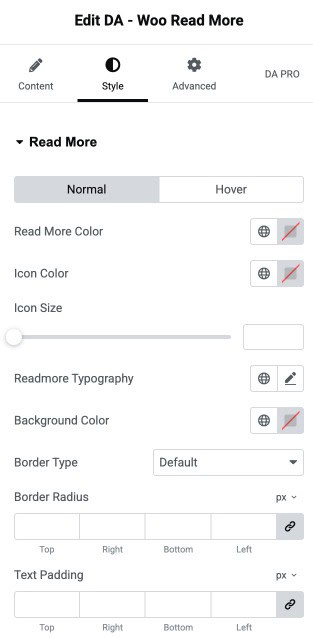
Read More
- Read More Color: Choose the text color.
- Icon Color: Select the icon color.
- Icon Size: Specify the size of icon.
- Read More Typography: Set the typography.
- Background Color: Choose the background color of read more button.
- Border Type: Select the border type.
- Border Radius: Set the border radius.
- Text Padding: Set the padding.