
Animated Gradient Background
Add stunning animated background effects to the Elementor’s section and Columns to make them eye-catching and appealing using the Animated Gradient Background feature of Addon Elements for Elementor.
Follow the steps to add a gradient background to your elementor section or column.
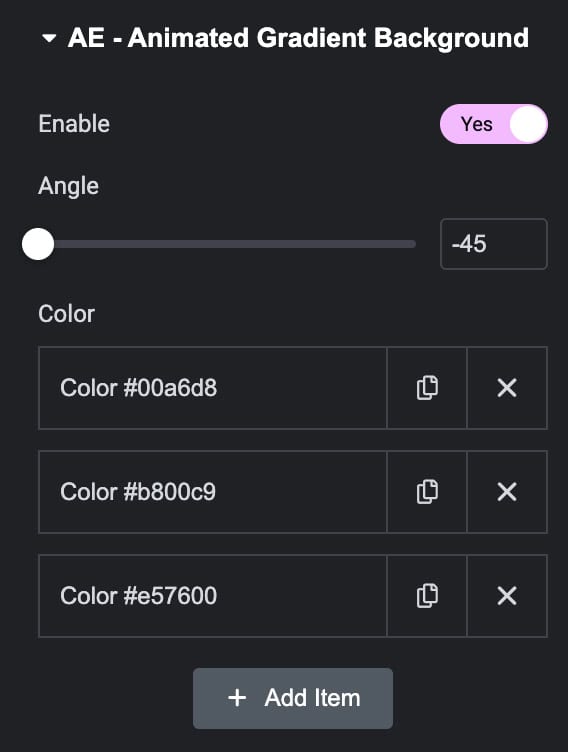
Add a section, then under the edit section settings, Go to the Style tab and then enable the AE – Animated Gradient Background feature.
- Enable: Activate the option to apply the animated gradient background.
- Angle: Set the gradient angle.
- Color: By default, you can add three colors for the gradient effect. Click on the Add item button to add more colors for the gradient background.
Check out the Demo page of Animated Gradient Background.