
ACF Dynamic Tags
The ACF (DA) group lets you bind any Elementor control to an Advanced Custom Fields value. It requires ACF (or ACF Pro) active — Gallery-type fields specifically require ACF Pro, since the Gallery field type itself is a Pro-only ACF feature.
The Field Picker
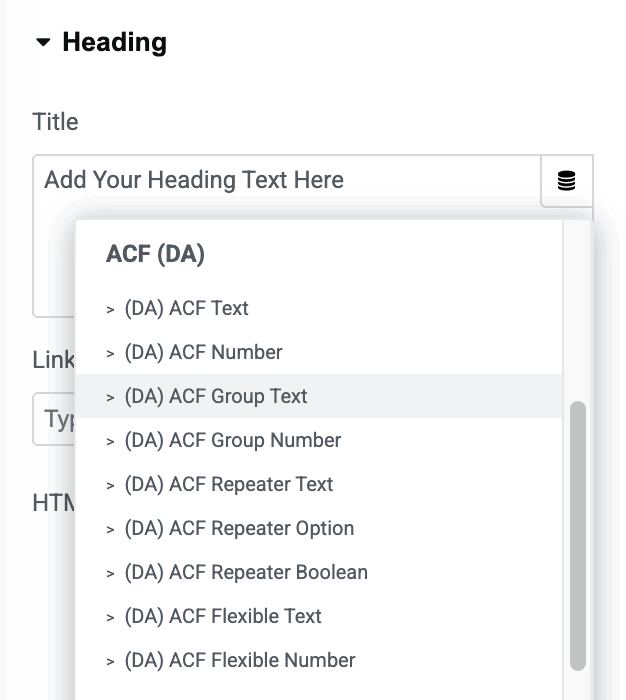
Every ACF Dynamic tag has a Select Field dropdown, organized into optgroups by ACF Field Group — so you can quickly find the right field even on a site with many field groups. Fields that live on an ACF Options Page are prefixed Option: in the list, letting you pull global/site-wide field values from the same picker (see the dedicated ACF Options Page doc for details).
The Tags
ACF Text
Outputs any ACF field that resolves to plain text or a scalar value — covers Text, URL, Textarea, Number, Email, Password, WYSIWYG, Select, Checkbox, Radio, True/False, oEmbed, Google Map, Date/Time Picker, and Color Picker fields.
- Select Field: The ACF field to pull from.
- Show Label: For Select/Checkbox/Radio fields, show the human-readable label(s) instead of the raw stored value(s).
- Separator: Text used between multiple selected values.
ACF Number
A lighter version of ACF Text scoped to Text and Number fields, with a numeric fallback of 0 when the field is empty.
- Select Field: The ACF field to pull from.
ACF URL
Outputs a field as a link-ready URL — covers URL, Image, File, Text, Email, Relationship, Link, Page Link, Post Object, and Taxonomy fields. Automatically adapts per field type (e.g. an Email field becomes a mailto: link, a Post Object/Relationship field becomes that post’s permalink, a Taxonomy field becomes the term’s archive link).
- Select Field: The ACF field to pull from.
- Fallback: Text/URL to use when the field is empty. Defaults to
#.
ACF Image
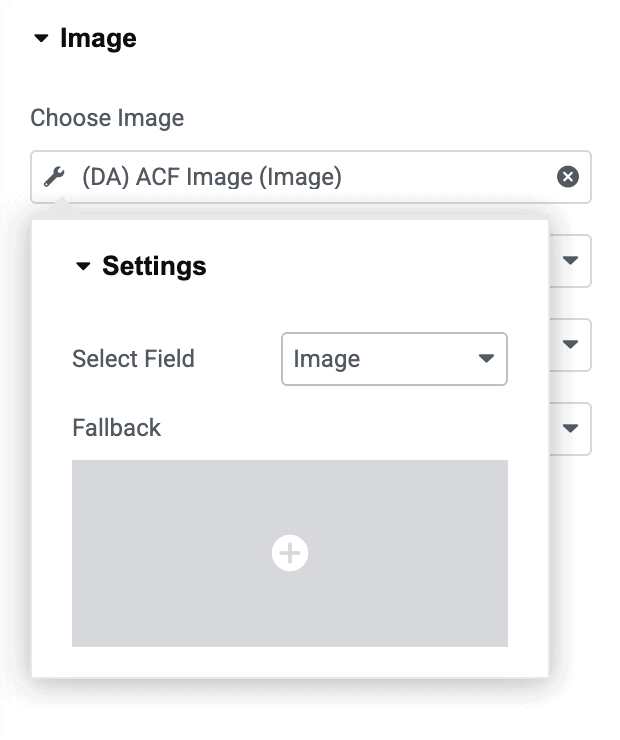
Outputs an Image, File, or URL field as an Elementor image (usable directly in Image controls).
- Select Field: The ACF field to pull from.
- Fallback: An image to use when the field is empty.
ACF Color
Outputs an ACF Color Picker field, usable directly in Elementor Color controls.
- Select Field: The ACF field to pull from (Color Picker fields only).
- Fallback: A color to use when the field is empty.
ACF Gallery (requires ACF Pro)
Outputs an ACF Gallery field as an Elementor gallery.
- Select Field: The ACF Gallery field to pull from.
Fields Inside an ACF Group
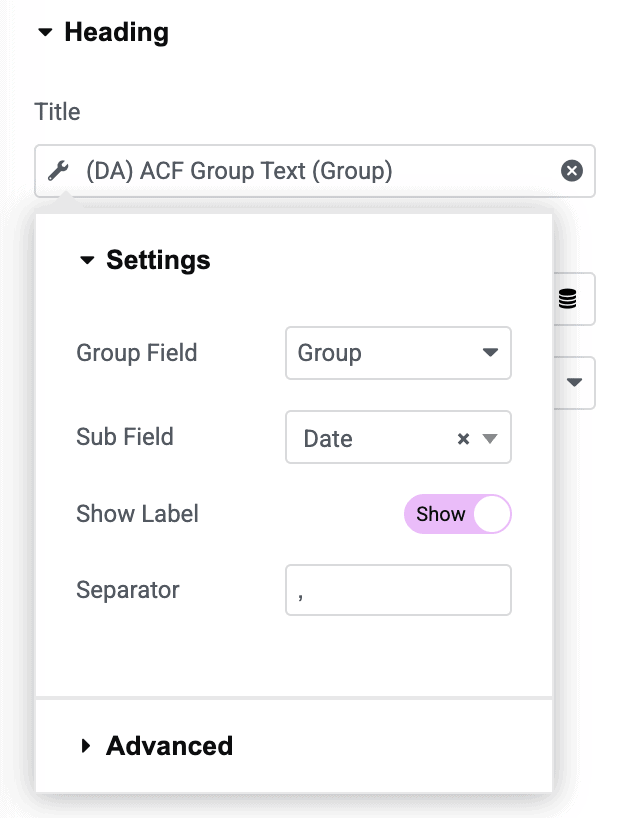
If a field lives inside an ACF Group field (ACF’s way of nesting related fields together, not to be confused with a Repeater), use the matching ACF Group variant instead: ACF Group Text, ACF Group Number, ACF Group URL, ACF Group Image, ACF Group Color, or ACF Group Gallery (ACF Pro). These behave identically to their counterparts above, but the picker is two steps:
- Group Field: Pick which Group field to look inside.
- Sub Field: Pick the specific field inside that group (only fields of a matching type are shown).
Note: Fields inside an ACF Repeater or Flexible Content field use a different set of tags entirely — see ACF Repeater Dynamic Tags and ACF Flexible Content Dynamic Tags.