
DA – Woo Notices
The DA – Woo Notices widget is used to style the default WooCommerce notification messages that appear on your store, such as “Product added to cart”, “Coupon applied”, or error messages during checkout.
These notices are important for guiding customers through their shopping experience. With this widget, you can customize the appearance of these messages, including colors, typography, borders, and spacing to match your website’s design and make them more noticeable and user-friendly.
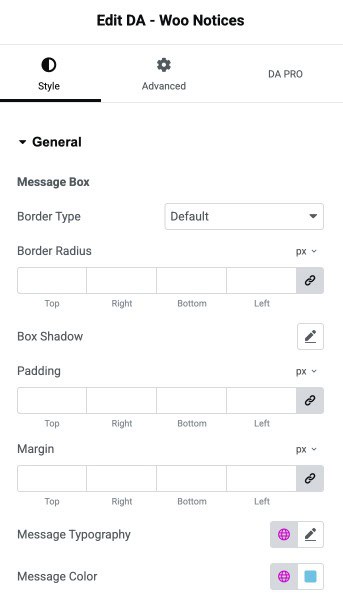
This widgets features the following styling controls.
Style
General
Message Box
- Border Type: Selects the border style for the message box.
- Border Radius: Adjusts the roundness of the message box corners.
- Box Shadow: Adds a shadow effect around the box.
- Padding: Set the padding.
- Margin: Set the margin.
- Message Typography: Sets the typography.
- Message Color: Defines the text color of the message displayed.
Button Style
Note: Switch between styling the button’s normal state and hover state.
- Typography: Controls the typography.
- Color: Sets the text color of the button.
- Background: Defines the background color of the button.
- Border Type: Selects the border style for the button.
- Border Radius: Adjusts how rounded the corners of the button appear.
- Box Shadow: Adds a shadow effect to the button.
- Padding: Set the padding.
