Display Posts from ACF Relationship Field in Elementor
This will require you to create Relationship Field for Post/Page/CPT using the Advanced Custom Fields (ACF) plugin.
Check out the link to find more details about ACF – Relationship Field.
Steps to Show ACF Relationship Posts on a Single Post Layout
Add Post Blocks Adv Widget
- Drag the “DA – Post Block Adv” widget to the desired location in your template and do the following configuration.
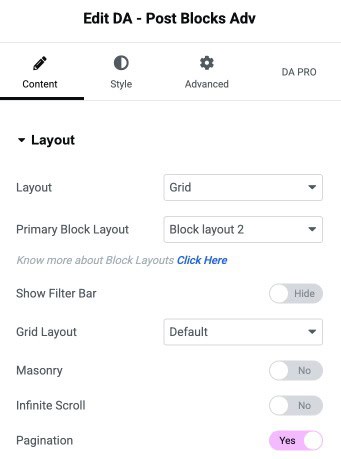
Configure Layout Settings
- Under the Layout Section, Select
- Skin: Select the layout style to display the post blocks.
- Block Layout: Select the Block Layout you have created to use in this widget. Learn more about creating block layouts.
Configure Query Settings
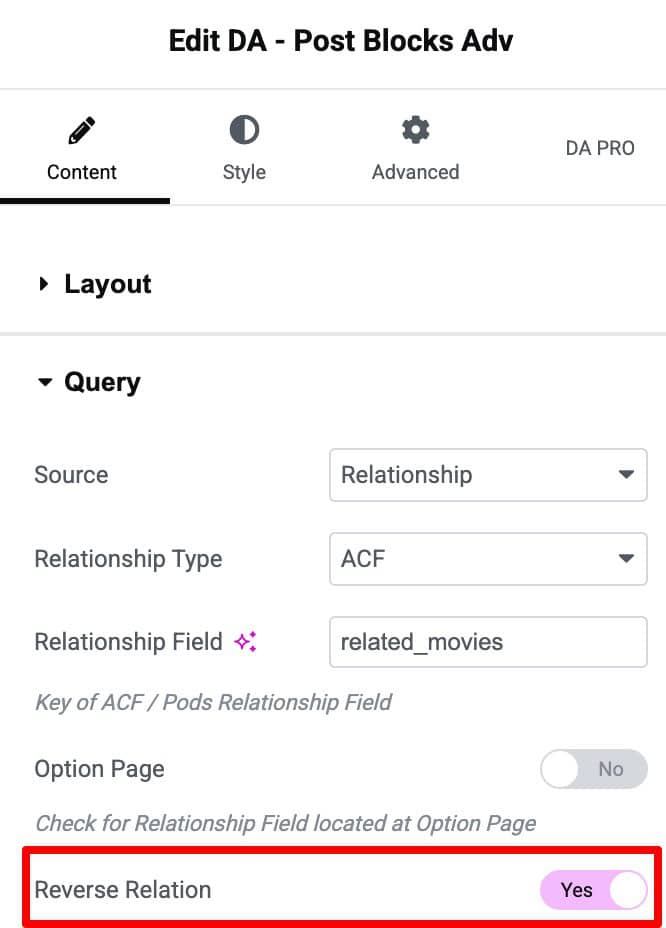
Under the Query Section, do the following configuration.
- Source: Relationship
- Relationship Field: Name the Relationship Field that you have created in ACF.
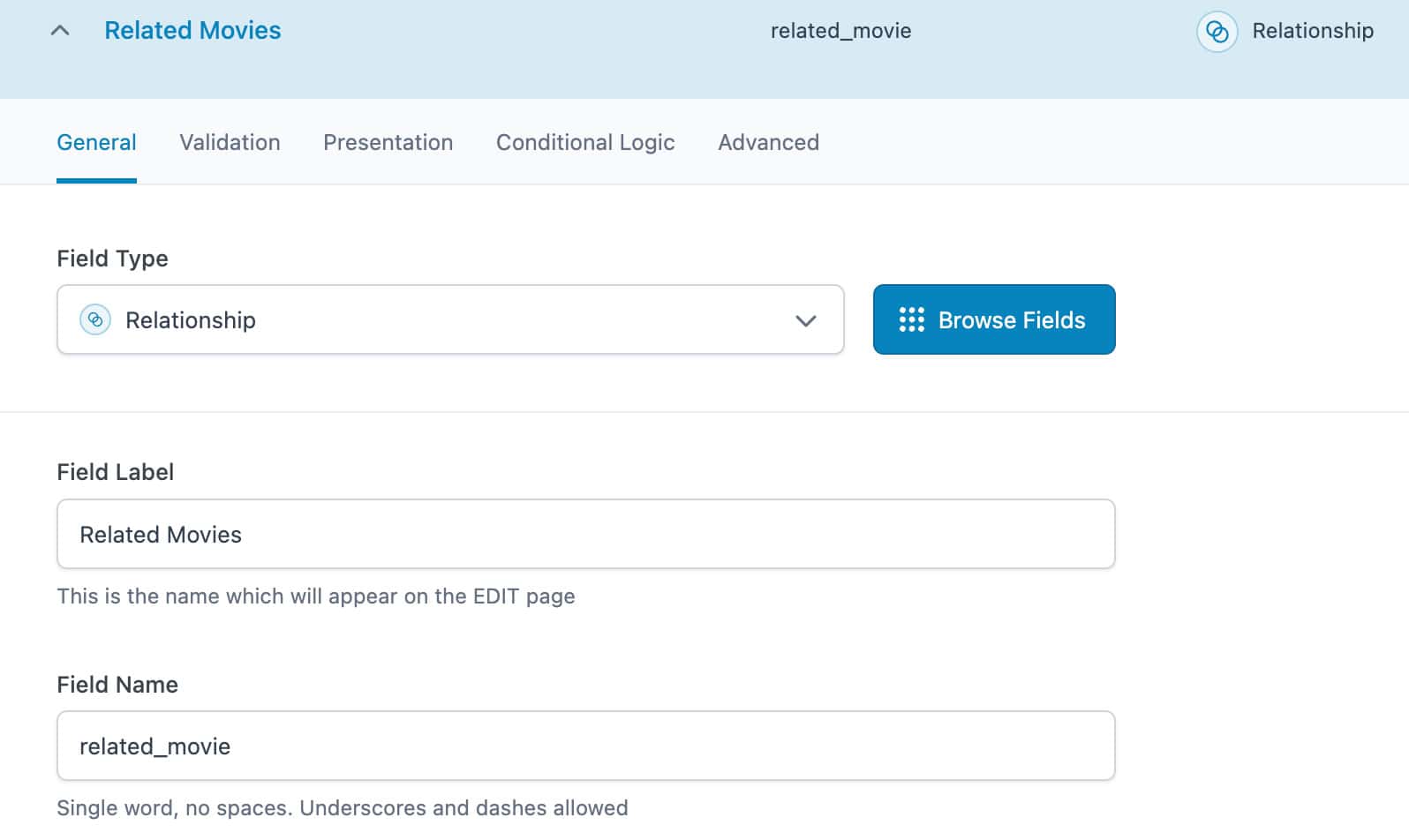
- Also, set “Return Format” to “Post ID.” By default, it is set to Post Object.
- Do rest of the settings like order by, layouts, etc. as required.
- See the following screenshot for the configuration setup.

Displaying Reverse Relationship
Similarly, you can also display posts for the reverse relationship in Post Blocks Adv. To know more, check out this How To Display Posts From Reverse Relationship Using the Post Blocks Adv.