
How to Modify Post Blocks Adv Query Using Custom Filters
Do you love using hooks and filters in WordPress?
The DA – Post Blocks Adv widget now allows you to add your own custom filters to modify the WP_Query parameters. With this feature, you can build more advanced and complex query structures for displaying posts.
In this example, we will demonstrate how to display featured posts using the DA – Post Blocks Adv widget and a custom query filter.
Assumptions Before You Begin
The following article assumes that
- You have created a custom field (checkbox) for the post used to mark the post as featured.
- You know the basic functionality of the Post Blocks widget.
- You know how WP_Query works in WordPress. Read more about WP_Query here.
Steps to Add a Custom Filters to Post Blocks Adv Query
Navigate to Query Filter in Widget
Inside the Query Settings of the DA – Post Blocks Adv widget:
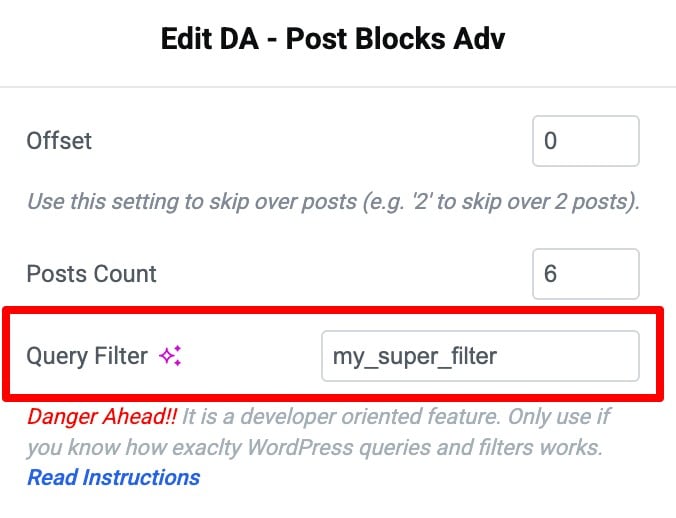
- Look for the field “Query Filter”
- Read the description/warning message to understand usage
- Enter your custom filter name (in this example, we use:
my_super_filter)
Add the Filter Hook in functions.php
Next, attach the filter to a callback function in the functions.php file of your active child theme.
		function my_super_filter_function($query_args){
                     $query_args['meta_key'] = 'is_featured';
                     $query_args['meta_value'] = 1;
                     return $query_args;
                }
               add_filter('my_super_filter', 'my_super_filter_function');
How the Code Works
- If you notice in the above code, we have added a filter to “my_custom_filter.”
- This function will receive “$query_args” as an argument that is passed in WP_Query by the Post Blocks Adv widget.
- You can modify it and return it from that filter.
- Here, we have added a meta_key related filter to show only those posts that have meta_key “is_featured” set with “meta_value” = 1.
- It is recommended not to modify pagination and post-count-related parameters. They are already available in widget settings.