
Add Dynamic Background to Container Using Dynific Addons for Elementor
Dynamic backgrounds allow you to automatically load images or colors inside Containers based on the content of the post, taxonomy, or custom field. With Dynific Addons for Elementor (formerly AnyWhere Elementor Pro), you can design visually rich layouts without manually setting background images for every page.
This feature is especially powerful for:
- Single post templates
- Archive layouts
- Block layouts for post grids and sliders
- Category/term pages
Background Types Supported
For now, you can add 3 types of dynamic backgrounds.
- Post Featured Image
- Custom Field Image – Post
- Custom Field Image – Terms (e.g., Categories, Tags, etc.)
See what you can design with it.

For Custom Fields, we have added support for Advanced Custom Fields (ACF). Pods integration will be coming soon. You can add a dynamic background in two ways as an image or as a background color.
Using Post Featured Image as Background
You can show featured images for Post/Pages or Custom Post Types as Section Background. This is useful in designing Single Post Layouts and designing the Block layout of Post Items in Archive Pages.
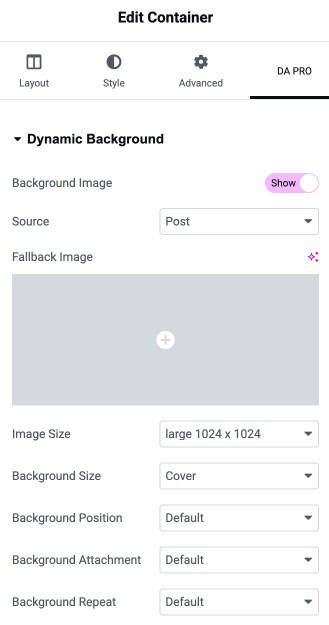
- Go to Container Settings.
- From the top panel, select “DA Pro.“
- There you will get the option to enable “Dynamic Background Image.”
- In Source, select “Post” for using Post Featured Images as the background image.
Using Custom Field Image – Posts
Dynamic Background Image also supports images from Post Custom Fields. For now, it supports ACF. We are planning to add support for Pods soon.
- Go to Container Settings.
- From the top panel, select “DAPro.“
- There you will get the option to enable “Dynamic Background Image.“
- In Source, select “Post Custom Field” for using images from the Post custom field as the background image.
- If the field is Group Field or Flexible Field, enable the options.
- Then specify the key/slug of your custom fields in “Custom Field Key.”
Using Custom Field Image – Terms
While designing the layout for Taxonomy Archives, you can use images from the Term custom field as Section/Column background.
- Go to Container Settings.
- From the top panel, select “DAPro.”
- There you will get the option to enable “Dynamic Background Image.”
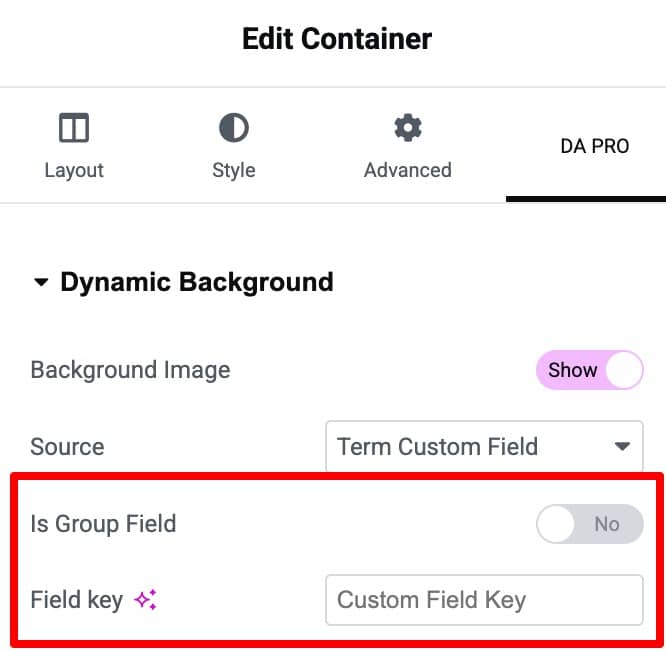
- In Source, select “Term Custom Field” for using images from the Term custom field as the background image.
- Enable the options if the field is a Group Field or a Flexible Content field.
- If the field is a Group Field or a Flexible Field, you need to specify the Field Name and the Sub Field name.
- Then specify the key/slug of your custom fields in “Custom Field Key.”
Apply Dynamic Background Color
To add dynamic background color, enable the Background Color option under the Dynamic Background.
- Source: Choose the source from where you want to add color, from Post Custom Field, Term Custom Field, or Options Page.
- Is Group Field: Enable option if the color field is a group field.
- Is Flexible Field: Enable option if the color field is a Flexible field.
- Group Field Key: Mention the group field key.
- Flexible Fields: Select the Flexible Field name/key.
- Custom Field Key: Enter the field key or slug or enter the Sub Field name in case of Flexible Field.
