How to Enable Dynific Addons for Elementor Integration with Polylang
Dynific Addons for Elementor offers compatibility with the popular translation plugin called Polylang. It allows you to translate your Dynific Addon Templates to any language you want.
Polylang is an extension to make multilingual WordPress websites. Using Polylang you can translate posts, pages, media, categories, custom post types, custom taxonomies, etc. The language is either set by the content or by the language code in the URL, or you can use one different subdomain or domain per language
First, make sure both the plugins Dynific Addons for Elementor and Polylang are installed and activated
Polylang Customization
- Go to Language -> Setting page.
- Click on the Settings link under Custom post type and Taxonomies
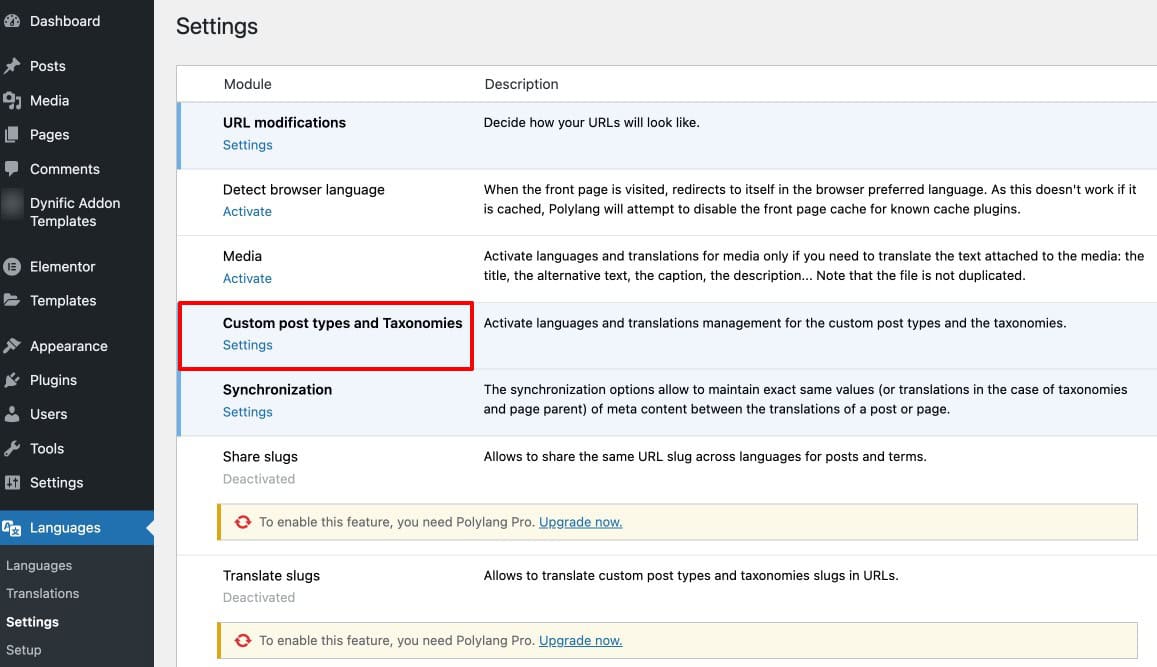
- All the custom posts and taxonomies appear.
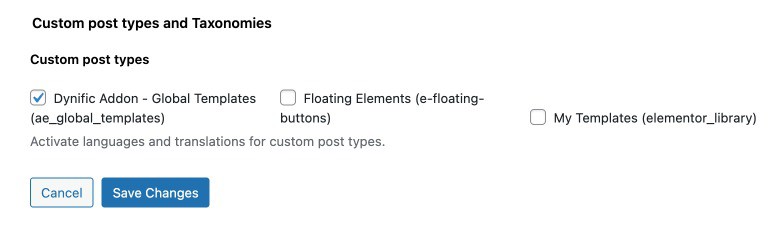
- Enable Dynific Addon – Gloabl Templates for translation
- Click on the Save Changes button.
Dynific Addon Template Settings
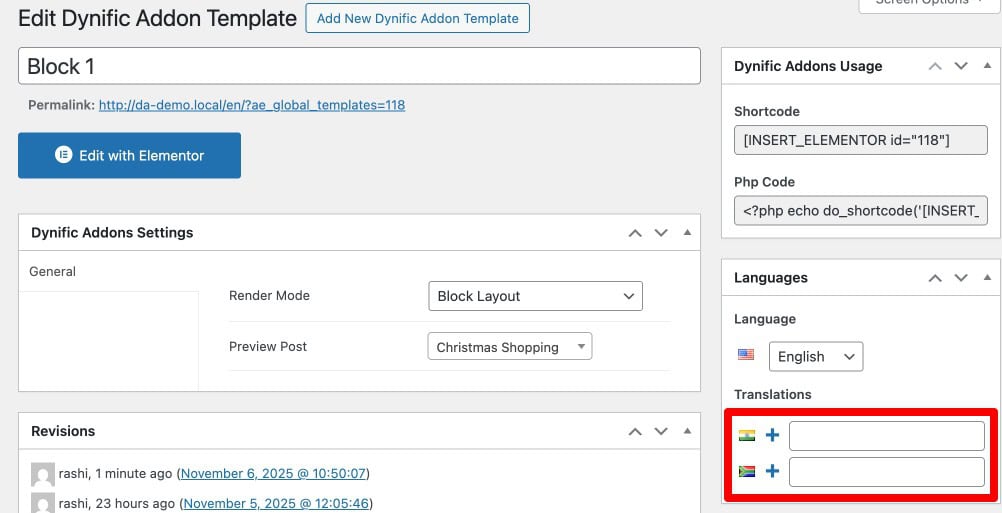
Now go to your WordPress Dashboard and select and edit the DA template that you want to translate. Under the Language box, click on the Plus sign next to the language in which you want to translate the content.
Polylang creates a separate post for each language you want to translate the content in. Design and publish the template according to the selected language.