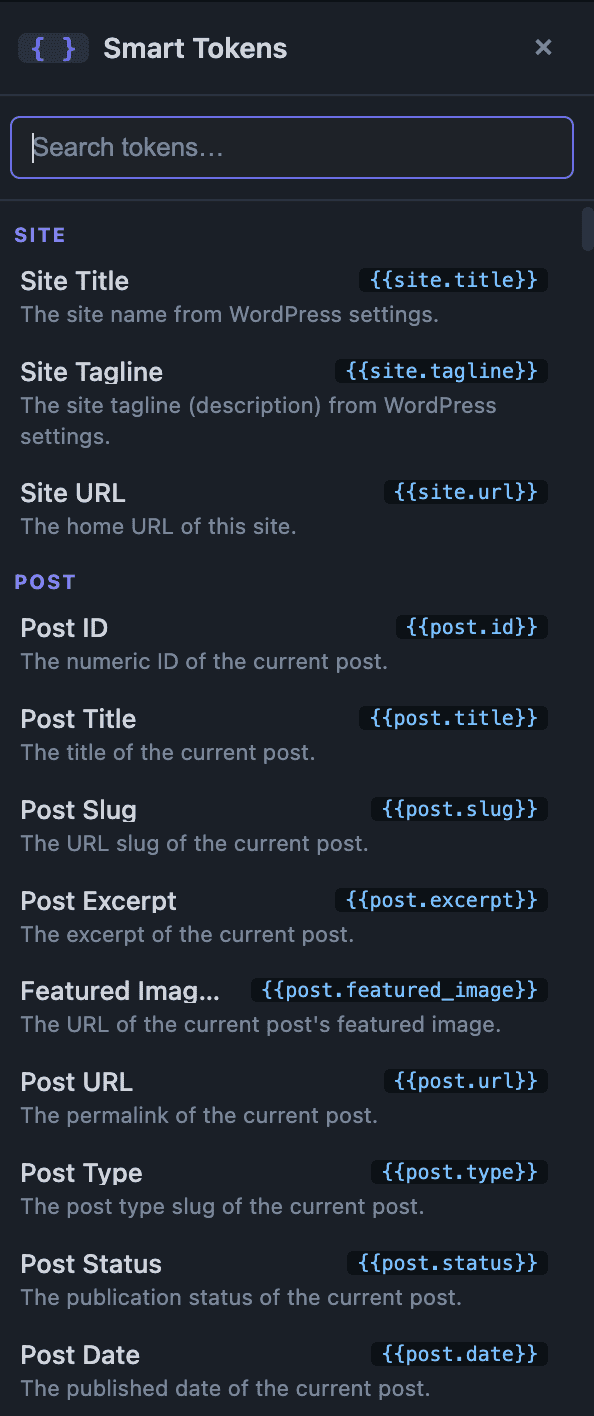
Smart Tokens is a lightweight {{token}} placeholder system for Elementor. Type something like {{post.title}} or {{user.email}} into practically any text field, and it’s replaced with the live value when the page renders — no dynamic-tags menu, no extra widget required.
Available token groups
Site
Token
Description
{{site.title}}
Your site’s name.
{{site.tagline}}
Your site’s tagline/description.
{{site.url}}
Your site’s home URL.
Post
Token
Description
{{post.id}}
The current post’s ID.
{{post.title}}
The current post’s title.
{{post.slug}}
The current post’s slug.
{{post.excerpt}}
The current post’s excerpt.
{{post.featured_image}}
The current post’s featured image URL.
{{post.url}}
The current post’s permalink.
{{post.type}}
The current post’s post type.
{{post.status}}
The current post’s status (e.g. publish, draft).
{{post.date}}
The date the post was published.
{{post.modified_date}}
The date the post was last modified.
{{post.author_name}}
The display name of the post’s author.
User
These reflect the currently logged-in visitor.
Token
Description
{{user.id}}
The logged-in user’s ID.
{{user.login}}
The logged-in user’s username.
{{user.email}}
The logged-in user’s email address.
{{user.first_name}}
The logged-in user’s first name.
{{user.last_name}}
The logged-in user’s last name.
{{user.display_name}}
The logged-in user’s display name.
{{user.role}}
The logged-in user’s role.
{{user.avatar_url}}
The logged-in user’s avatar image URL.
URL
Token
Description
{{url.current}}
The full URL of the current page.
{{url.path}}
The current page’s path only, without the domain.
{{url.parameter.NAME}}
The value of a ?NAME=value query-string parameter, e.g. {{url.parameter.product_id}}.
Date & Time
Token
Description
{{current.date}}
Today’s date.
{{current.time}}
The current time.
{{current.year}}
The current year.
{{current.month}}
The current month.
{{current.day}}
The current day of the month.
{{current.day_name}}
The current day’s name (e.g. Monday).
{{current.timestamp}}
The current Unix timestamp.
Query
Token
Description
{{query.id}}
The ID of the currently queried object.
{{query.post_count}}
Number of posts on the current page of results.
{{query.found_posts}}
Total matching posts across all pages.
{{query.max_num_pages}}
Total number of result pages.
{{query.current_page}}
The current page number.
{{query.is_singular}}
Returns “1” or “0” — whether the current page is a single post/page.
{{query.is_archive}}
Returns “1” or “0” — whether the current page is an archive.
The current product’s sale price (empty if not on sale).
{{woo.product.sku}}
The current product’s SKU.
{{woo.product.stock_status}}
The current product’s stock status.
{{woo.product.stock_quantity}}
The current product’s stock quantity.
{{woo.product.short_description}}
The current product’s short description.
{{woo.product.url}}
The current product’s page URL.
{{woo.customer.first_name}}
The current customer’s first name.
{{woo.customer.last_name}}
The current customer’s last name.
{{woo.customer.email}}
The current customer’s email address.
Inserting a token
There are two ways to insert a token while editing in Elementor:
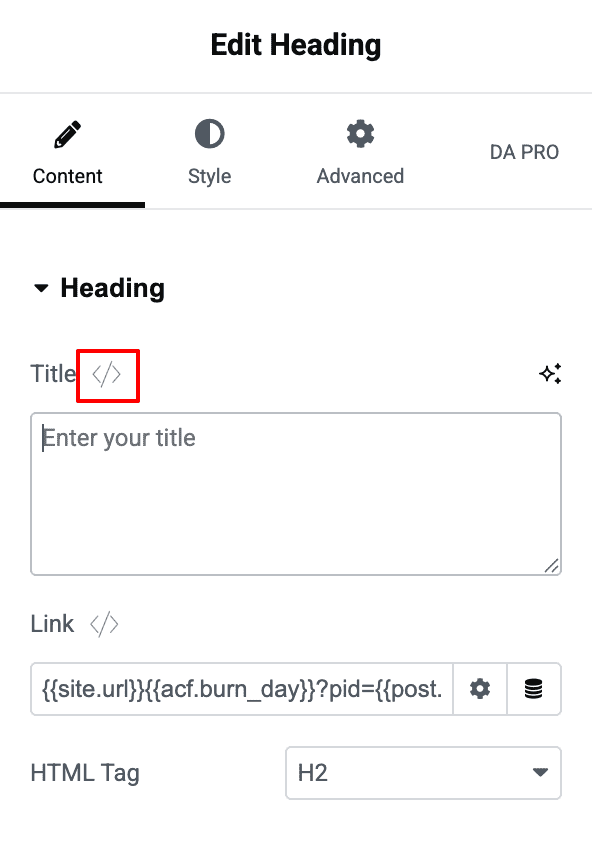
Token picker: an “Insert Token(</>)” icon button appears in the title row of any supported control. Clicking it opens a floating Smart Tokens panel with a search box and a scrollable, categorized list of tokens — each showing its label, {{token.key}} syntax, and description. Clicking a token inserts it into the field you opened the panel from.
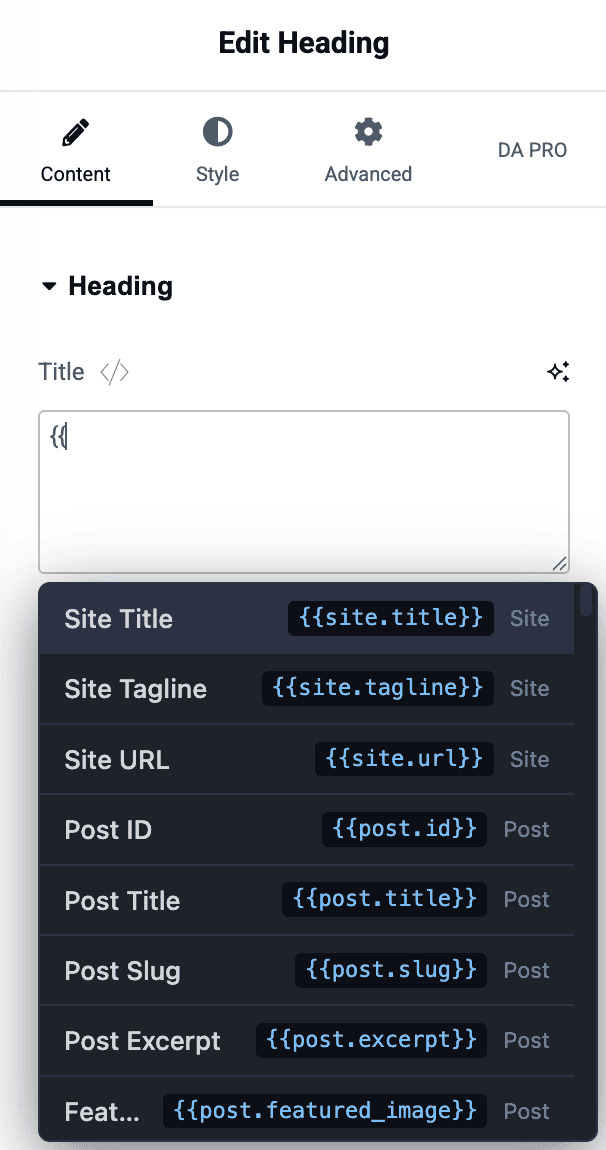
Inline autocomplete: type {{ inside any supported text field to open a live, filterable dropdown right under the cursor. Use the Up/Down arrow keys to highlight a token, Enter or Tab to insert it, or Escape to dismiss the dropdown.
Smart Tokens work in: plain Text inputs, URL inputs, Search inputs, Textarea/code controls, and Custom CSS ID, Custom CSS Classes, and Custom Attributes fields.
They do not work in: Number, Color, Select/Dropdown, Media/Image, or WYSIWYG (rich text editor) controls — these aren’t free-text fields, so there’s nowhere for a {{token}} string to resolve.
Smart Tokens — Insert Token Icon
Things to know
Only lowercase letters, numbers, underscores, and dots are valid inside {{ }}. Filters, fallback values, or conditional syntax (e.g. {{user.name ?? "Guest"}}) are not supported.
Escaping is automatic and context-aware — Smart Tokens applies the correct escaping whether the token is used in normal text, a URL, or an HTML attribute, so you don’t need to add your own.
Inside a listing/loop widget, a token like {{post.title}} correctly re-resolves for each item as the loop advances.
Smart Tokens is a Pro feature and can be turned on or off from the plugin’s Modules screen (enabled by default). The ACF and WooCommerce token groups additionally require those respective plugins to be active.