How to Display ACF Nested Repeaters in Elementor
An ACF nested repeater is a Repeater field placed inside another Repeater field, often called a repeater in repeater. It lets you store layered data, like hosting platforms that each have their own plans, and plans that each have their own features. Elementor cannot display that structure on its own, but with Dynific Addons for Elementor you can show every level without writing PHP.
In this tutorial you will recreate the hosting price table below. It has three levels: platforms such as Digital Ocean, Linode and Vultr, the monthly plans inside each platform, and the configuration and features inside each plan.

New to Repeater fields? Start with our ACF Repeater Field guide, which covers the basic setup and display first.

Key takeaways
- A nested repeater is a Repeater field inside another Repeater, so each row can hold its own set of rows.
- You need ACF PRO for Repeater fields and Dynific Addons for Elementor to display them without code.
- Design a block layout for each repeater level, starting with the innermost one, then place the top level on your page.
How Do You Set Up ACF Nested Repeater Fields?
You build nested repeaters in one field group by adding a Repeater field as a subfield of another Repeater. In this demo the structure is Platform, then Plans inside it, then Configuration and Features inside each plan.
Create the field group
Go to ACF > Field Groups, click Add New and give the field group a name. Set the location rules to the post or page where the price table will appear.

Add the Platform repeater
Add a field named Platform and set its Field Type to Repeater. This is the first level, and each row will be one hosting platform.

Add the Plans repeater inside Platform
Inside Platform, add two subfields: Title for the platform name, and Plans. Set Plans to the Repeater field type. This creates the first nesting, Platform to Plans.

Add Configuration and Features inside Plans
Inside Plans, add three subfields: Price, Configuration and Features. Set both Configuration and Features to Repeater. This creates the second nesting, Plans to Configuration and Features.

Then add the subfields you need to the Configuration repeater,
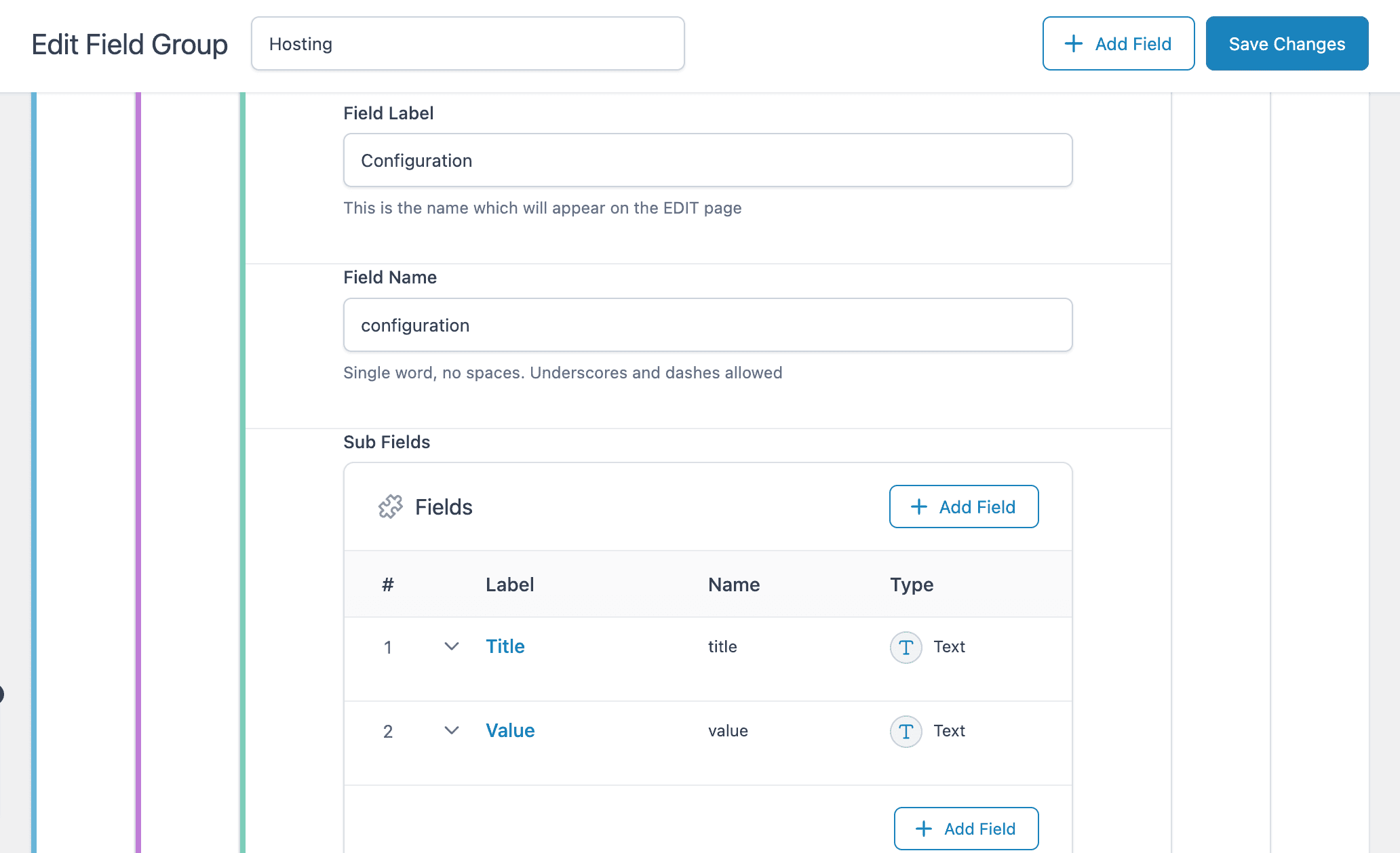
and to the Features repeater.
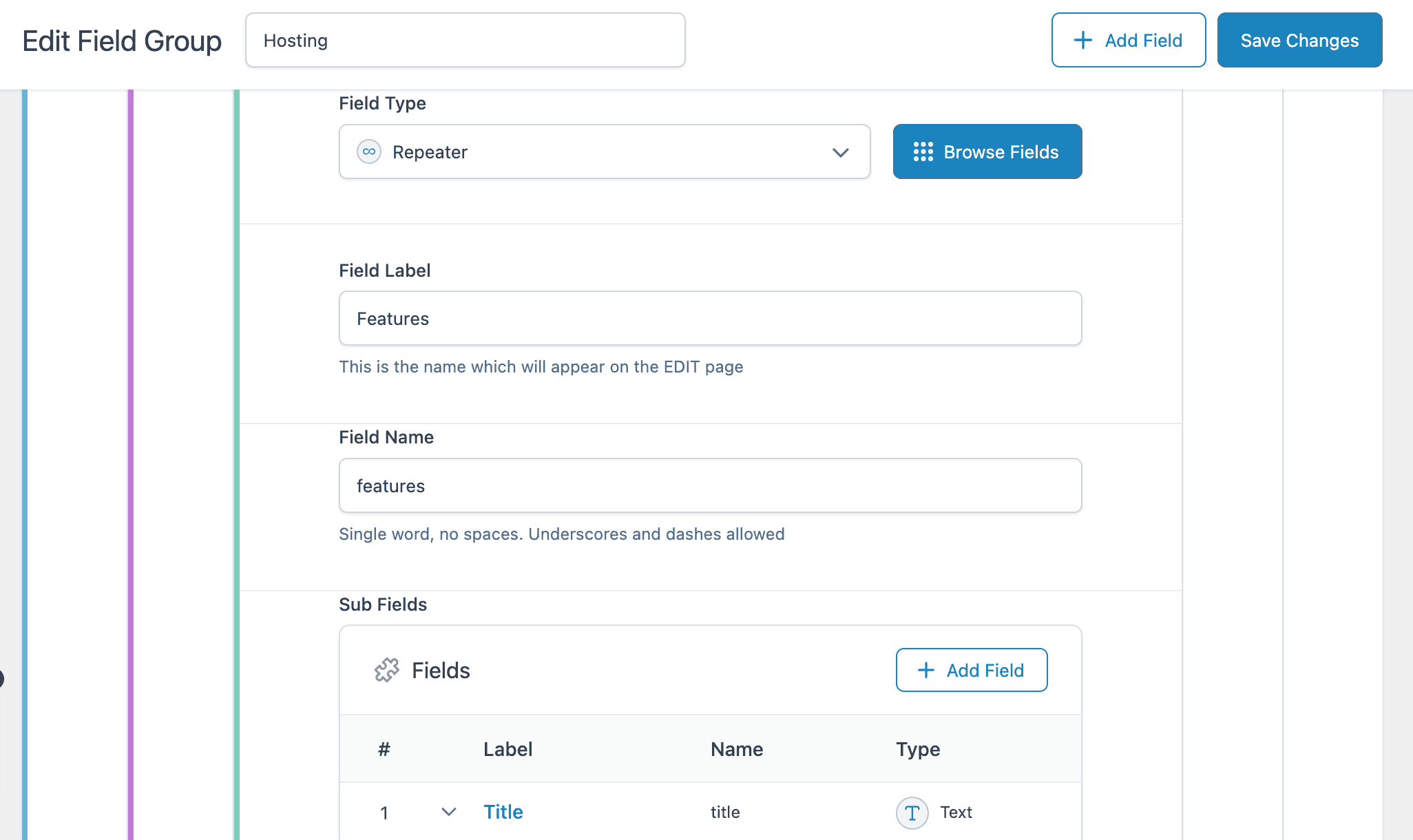
Tips: Give every repeater a clear Field Name. You pick these names later in the DA – ACF Repeater widget, and similar names are easy to mix up.
Save and add your data
Save the field group, then open the page or post it is assigned to and add your platforms, plans, configurations and features.

Dynific Addons for Elementor
Building a nested price table?
Dynific Addons for Elementor displays every repeater level visually, turning nested data into tabs, accordions or grids without PHP.
Design Templates for Each Repeater Block
Each repeater level needs its own block layout in Dynific Addons, and you build them from the inside out. Start with Features and Configuration, then Plans, then Platform, because each outer layout displays the ones inside it.
Build the Features and Configuration layouts
- Go to Dynific Templates > Add New and choose ACF Blocks
- Set Field Location to Post and Field Type to Repeater
- Choose a Preview Post that has the field group data
- Select Features as the Repeater field
- Click Edit with Elementor

In the Elementor editor, add a DA – ACF Fields V2 widget for each Features subfield, then style and save the layout.

Notes: Repeat the same steps for the Configuration repeater. The only change is selecting Configuration as the Repeater field.
Build the Plans layout
The Plans layout holds the Price field and both inner repeaters, so it shows data from three places at once. Create a new ACF Blocks template for the Plans repeater with the same settings as above.
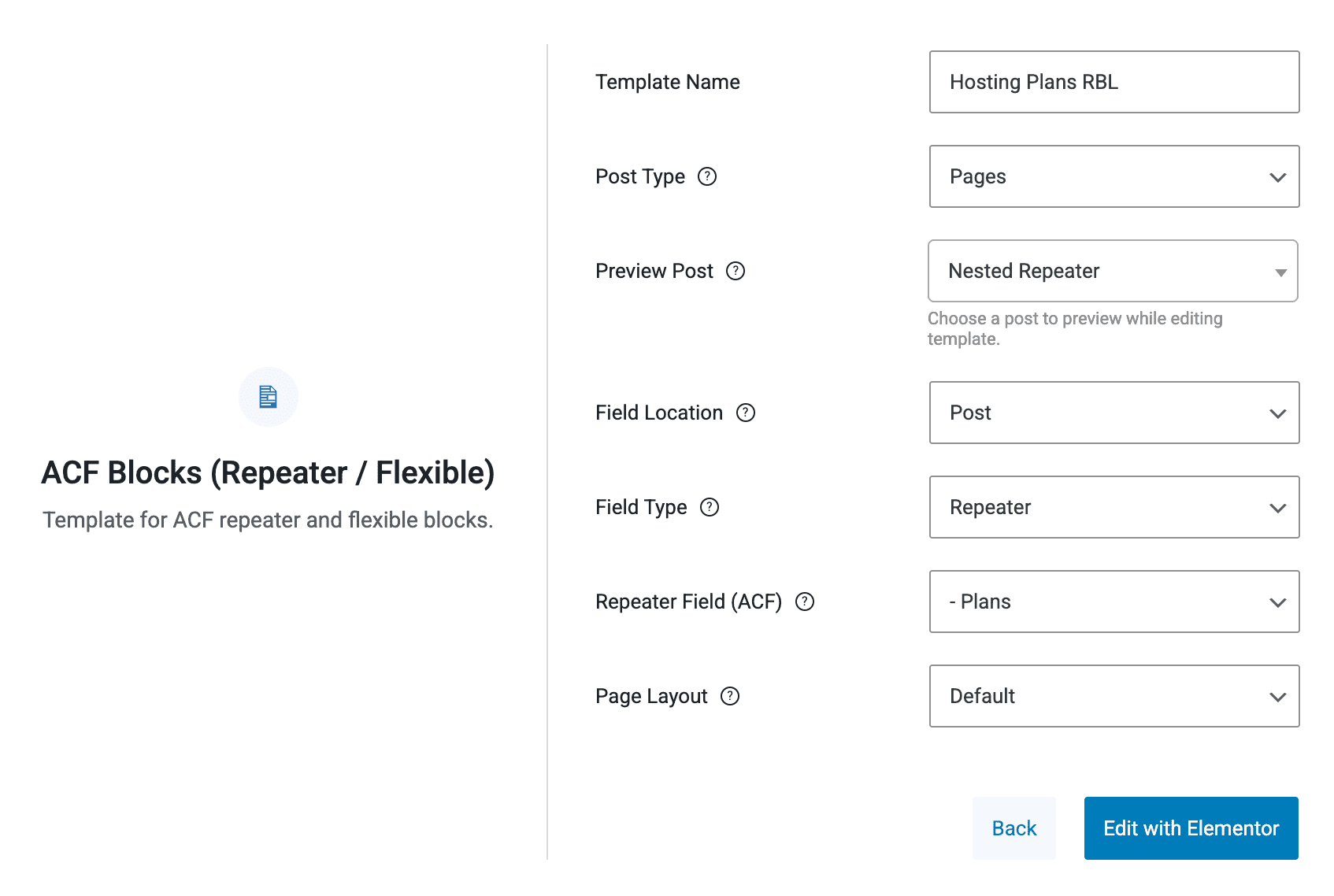
In Elementor, add a DA – ACF Fields V2 widget to show the Price.

Then add a DA – ACF Repeater widget, choose the Configuration block layout and select Configuration as the Repeater field. Its Skin can be Default, Accordion or Tabs, depending on how you want the rows to appear.
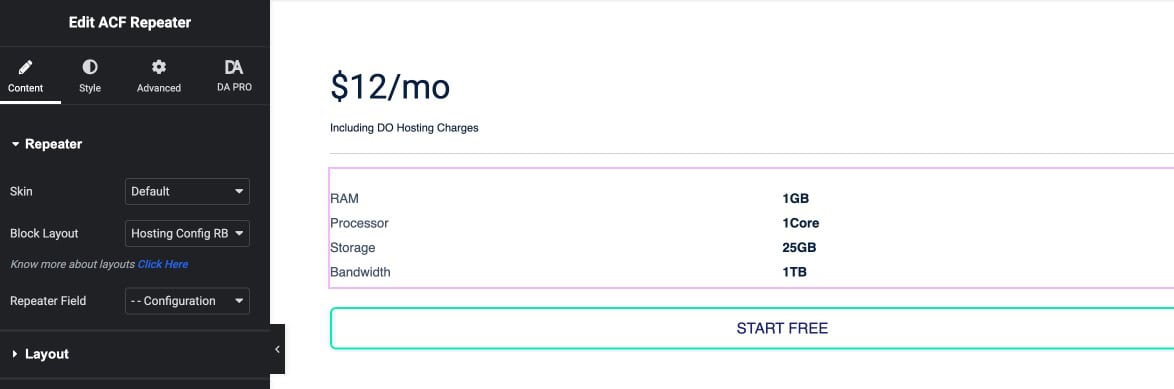
Add a second DA – ACF Repeater widget for Features and set it up the same way.

Build the Platform layout
Create one more ACF Blocks template for the Platform repeater. Inside it, add a DA – ACF Repeater widget, select the Plans block layout and choose Plans as the Repeater field.
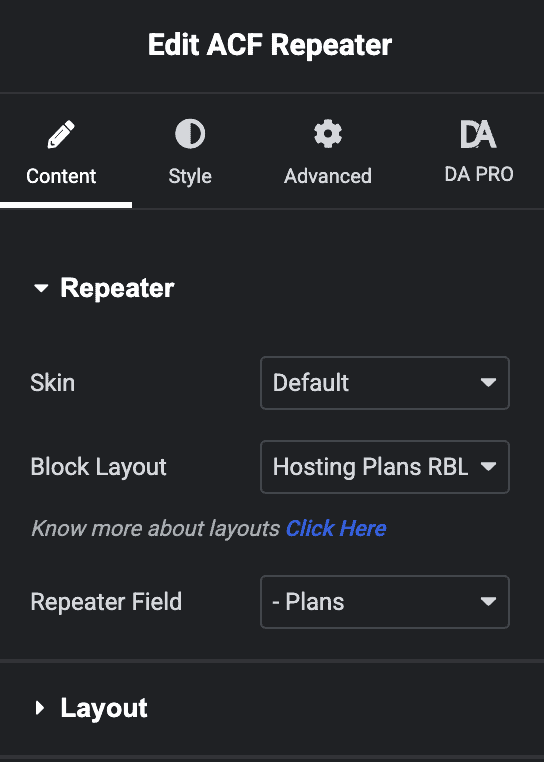
The Platform layout now contains every level of the nested repeater.

How Do You Display Nested Repeaters on a Page?
Place one DA – ACF Repeater widget on the page and point it at the top level, Platform. The layouts you built handle every level below it.
- Open the page that has the repeater data in the Elementor editor
- Drag the DA – ACF Repeater widget onto the page
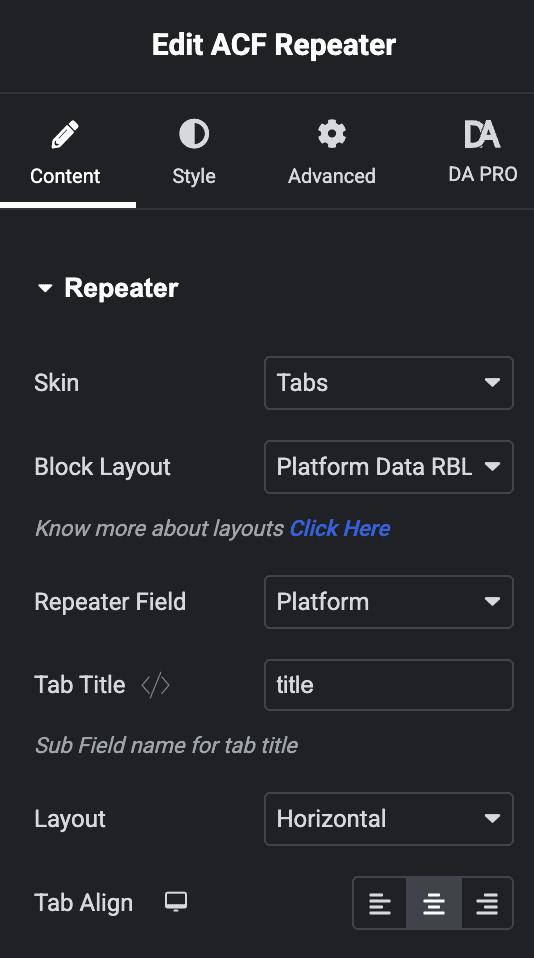
- Set the Skin to Tabs or Accordion
- Select the Platform block layout and choose Platform as the Repeater field
- In Tab Title, enter the subfield whose value should label each tab, such as Title
- Adjust the layout and alignment, then save the page
Here is the finished hosting price table on the front end.

What Should You Do Next?
Once three levels work, the same inside-out approach carries over to other layered content, such as course modules with lessons or menus with categories and dishes. For single repeaters, post templates and display skins in one place, see our complete ACF Repeater Field guide.
Dynific Addons for Elementor
Display nested repeaters without code
Show every level of an ACF nested repeater in Elementor, from price tables to menus, designed visually.
Frequently Asked Questions
What are ACF Nested Repeater Fields?
ACF Nested Repeater Fields allow you to add repeater fields within other repeater fields, enabling you to create multi-level structured content like pricing tables or feature lists.
What is a repeater in repeater in ACF?
It is another name for a nested repeater: a Repeater field added as a subfield of another Repeater field, so each parent row can hold its own rows.
Can I display nested repeater fields without writing code?
Yes. With Dynific Addons for Elementor, you design a block layout for each repeater level and display them with the DA – ACF Repeater widget, without writing PHP.
How many levels of nested repeaters can I display with Dynific Addons?
You can display several levels by building a block layout for each one. This tutorial uses three levels: platforms, the plans inside each platform, and the configuration and features inside each plan.
What is the difference between ACF Repeater and Nested Repeater?
The ACF Repeater allows repeating a single group of fields, while Nested Repeater involves adding a repeater field within another repeater field to create multi-layered data structures.
What plugins do I need to use ACF Nested Repeaters with Elementor?
You need ACF PRO for the Repeater field and Dynific Addons for Elementor to display the nested data visually in Elementor.