DA – Woo Category
The DA – Woo Category widget lets you display your WooCommerce product categories on any page. You can show them in either a horizontal or vertical layout based on your design.
You can choose to display only parent categories or show parent and child categories together. It helps customers easily browse product groups and find what they’re looking for faster. It’s a great way to organize your store and improve user navigation.
The DA – Woo Category widget offers the following controls.
Content
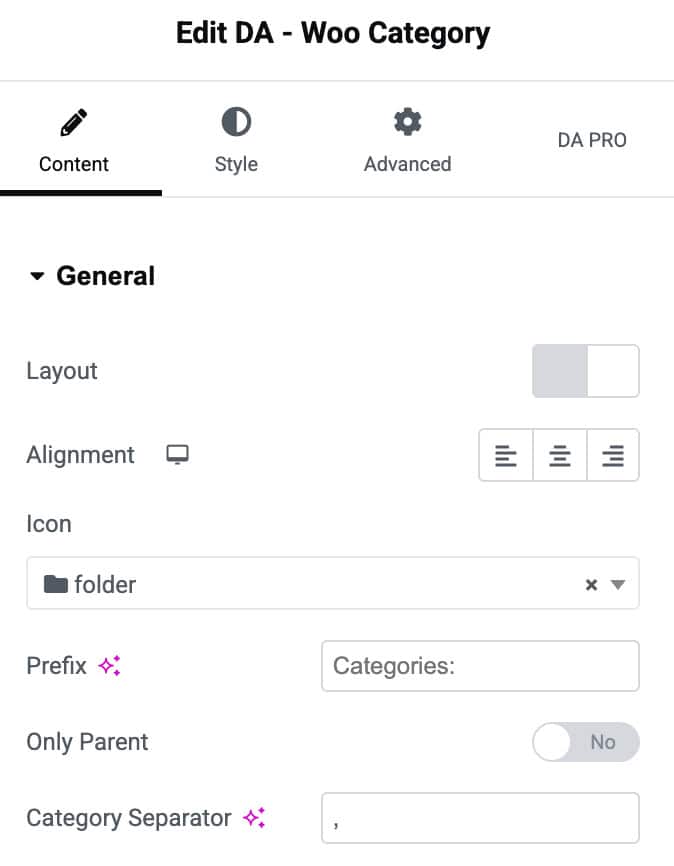
General
- Layout: Choose to display categories in a horizontal or vertical format.
- Alignment: Adjust the alignment of the category list (left, center, or right).
- Icon: Select an icon to display before the category names.
- Prefix: Add a text label that appears before the category list.
- Only Parent: Enable this option to show only parent categories and hide child categories.
- Category Separator: Set the symbol or character used to separate multiple category names.
Style
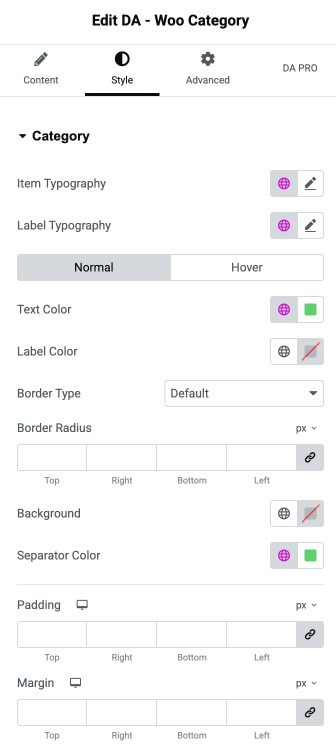
Category
- Item Typography: Controls the font styling for category names.
- Label Typography: Adjusts the font styling for the prefix/label text.
- Normal / Hover: Customize category appearance in regular state and on hover.
- Text Color: Sets the color of the category names.
- Label Color: Defines the color of the label or prefix text.
- Border Type: Selects the border style around category items.
- Border Radius: Adjusts how rounded the category item corners appear.
- Background: Sets the background color of the category area.
- Separator Color: Controls the color of the separator character between category names.
- Padding: Adds inner spacing inside the category container.
- Margin: Adds outer spacing around the category container.
Icon Settings
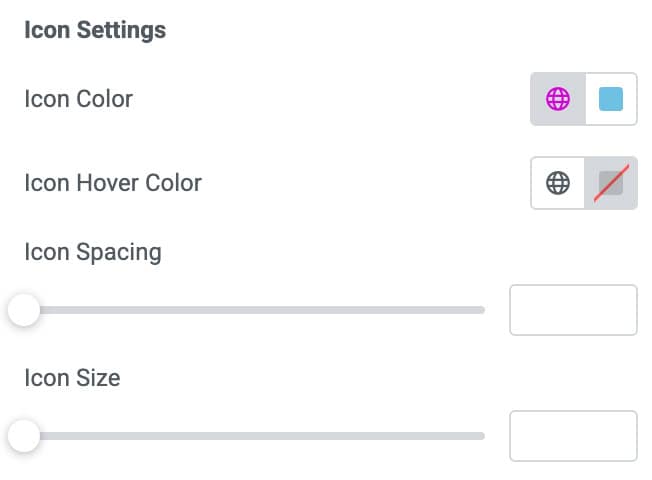
- Icon Color: Sets the color of the icon displayed with category names.
- Icon Hover Color: Changes the icon color when the user hovers over it.
- Icon Spacing: Adjusts the space between the icon and the category text.
- Icon Size: Controls the size of the icon.