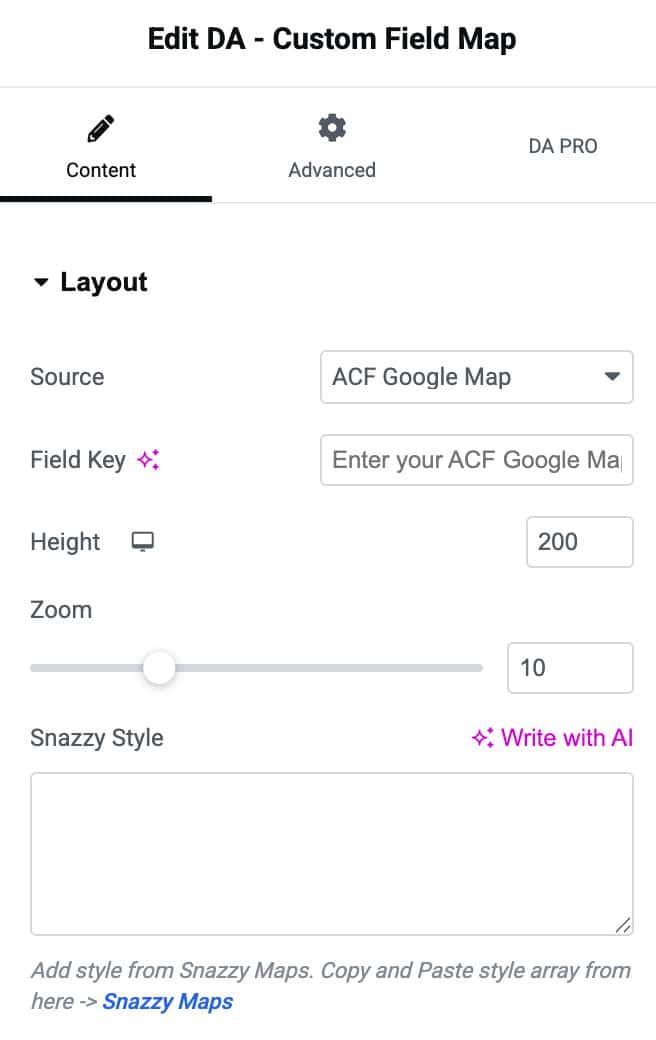
DA – Custom Field Map
The DA – Custom Field Map widget allows you to show Google Maps from data saved in your custom field. It can be used in two modes.
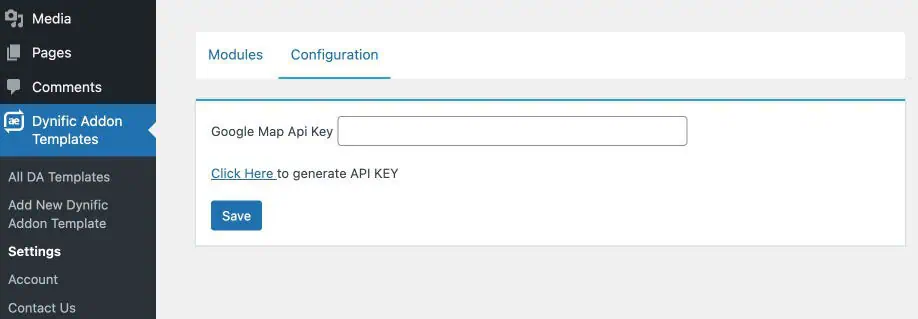
Google Map API key Configuration
Before using this widget, make sure to add your Google Map API key in the settings by following these steps:
- Navigate to WordPress dashboard Dynific Addon Templates >> Settings.
- Click on the Configuration tab. Enter the API key or click on the link to generate it.
Content
Layout
- Source: Selects the map data source (ACF Google Map or custom fields).
- Field Key: Specifies the ACF field key to pull the Google Map location from.
- Latitude: Enter the field key.
- Longitude: Enter the field key for longitude value.
- Address: Enter the key that have address data.
- Height: Sets the height of the map container.
- Zoom: Controls the map’s zoom level for closer or wider views.
- Snazzy Style: Allows you to paste custom Snazzy Maps styling JSON to customize map appearance