
How to Enable FacetWP Support in Post Block
DA- Post Block Adv widget of Dynific Addons for Elementor provides support to FacetWP filtering. You can add this to your archive page to filter posts based on custom fields, taxonomies, etc.
In order to enable FacetWP in the post block, first, you need to make sure that the FacetWP plugin is activated.
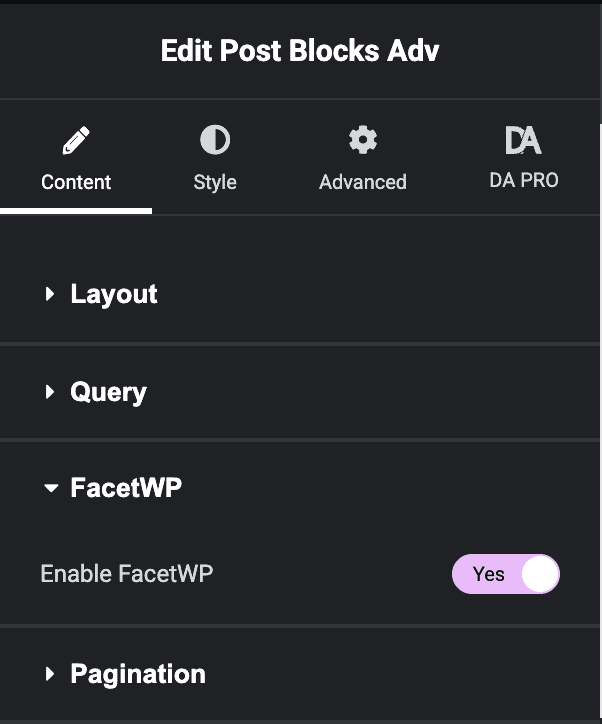
To enable Facet filtering in-post blocks, in the Source option under the Query section, select Current Archive. After that, you will notice a new section, FacetWP. You need to switch on the FacetWP support from here, and that’s it.
Note:- Currently, it works only for the Archive Template, so make sure to select ” Current Archive ” in the Source option.