
DA – Post Navigation
DA – Post Navigation is a useful element within a page. It is used to display navigation links to other posts dynamically.
Content
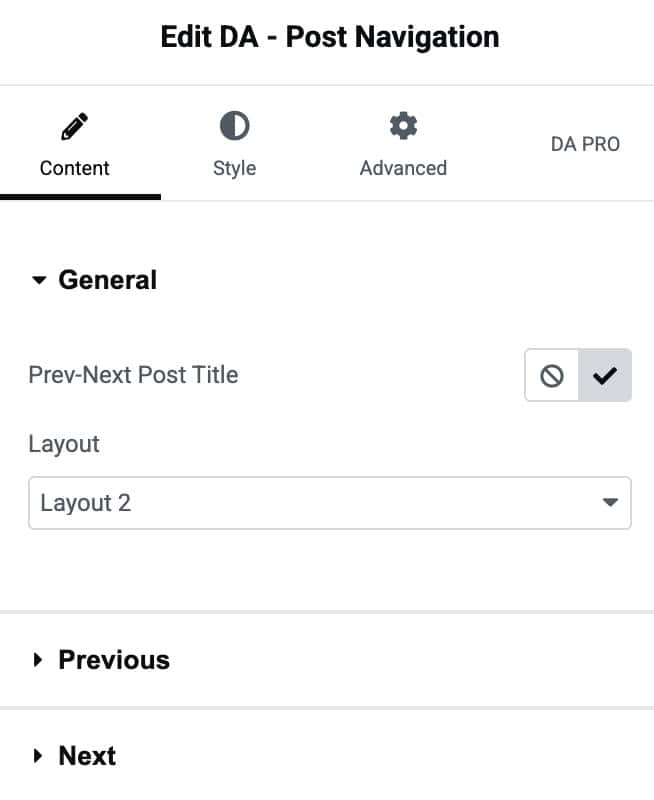
General
- Prev-Next Post Title: Show or Hide the title of the previous or next post.
- Layout: Different layout style can be selected from here.
Previous
- Previous Label: Here, you can set the label for the previous label.
- Icon: Set the icon.

Next
- Next Label: Here, you can set the label for the next label.
- Icon: Set the icon.

Style
Nav Style
- Color: Set the default text color for your navigation items.
- Hover Color: Choose a color when a user hovers over nav items.
- Typography: Customize the typography.
- Icon Color: Change the color of navigation icons.
- Icon Size: Adjust the size of the navigation icons using the slider.
Title Settings
- Title Color: Pick the color for your navigation titles.
- Hover Color: Define the hover color for title text.
- Typography: Control font appearance for the navigation titles.
