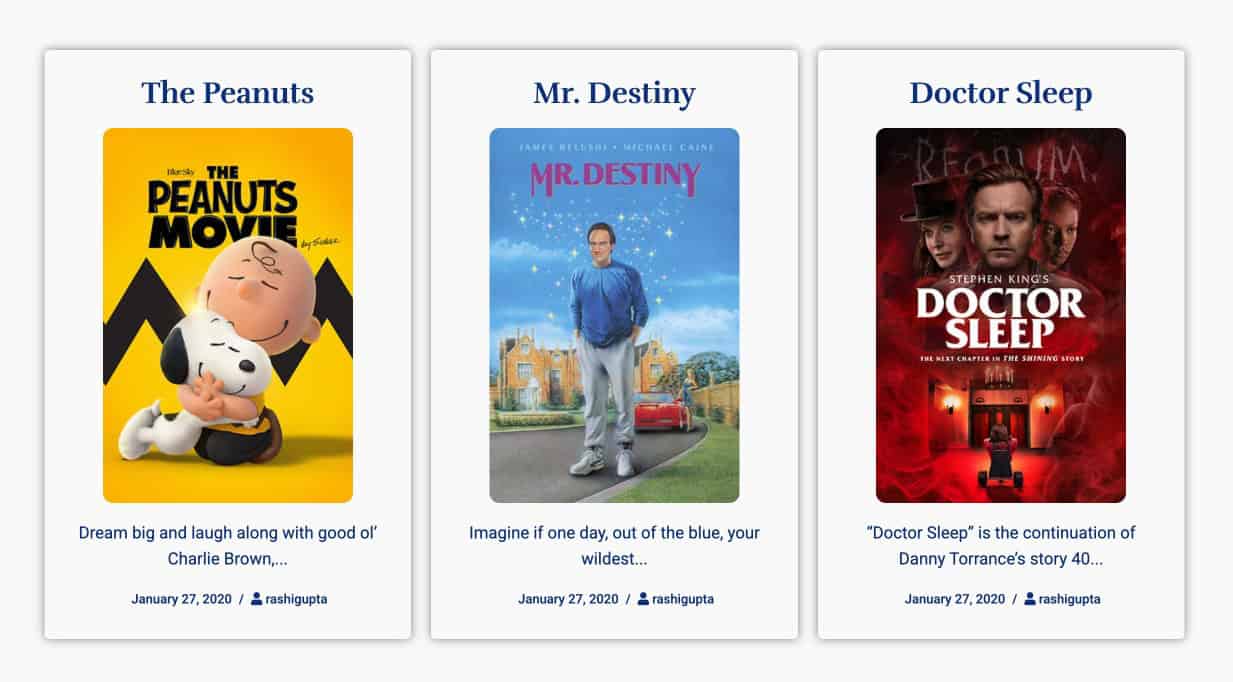
Design Layout for Post Type Archive Page
A Post Type Archive Template allows you to design layouts for archive pages that display all posts of a specific post type (like blog posts, portfolio, courses, movies, etc.).
Instead of using the default theme archive, you can fully customize how posts are displayed.
In this guide, we’ll create an archive layout for a custom post type called Movies, where all movie posts will be displayed in a structured design.
Before You Start
Before creating the archive template, make sure you have:
- Installed and activated the Advanced Custom Fields plugin
- Created a Custom Post Type (e.g., Movies)
- Added a few posts under the Movies post type
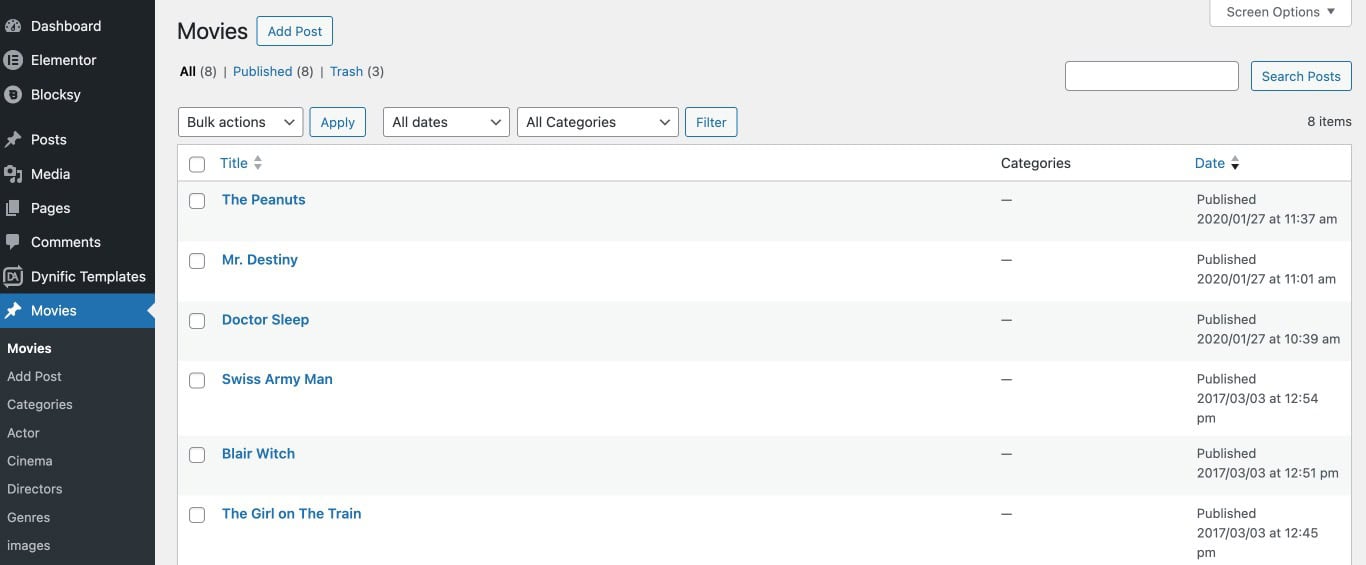
Step 1: Create a Block Layout
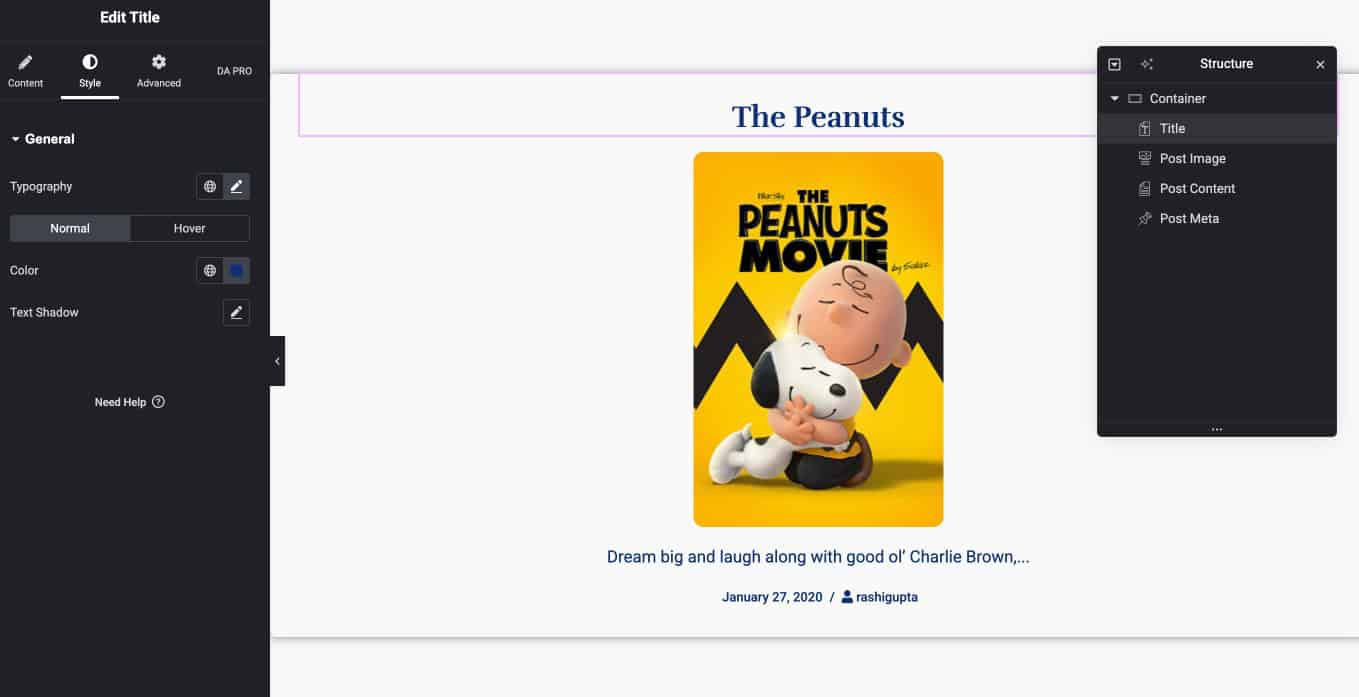
Before creating the archive page, you need to design how each movie item (card) will look.
- Follow these steps:
- Go to Dynific Template → Add New
- Next, enter the Template Name.
- Choose Block Layout.
- Select a preview Post from your Movies post type
- Then, choose the page layout.

- Click Edit with Elementor
- Design your post card layout by using any dynific addons widgets, elementor widgets, etc.
Step 2: Create Post Type Archive Template
Now, create the archive layout where all movie posts will be displayed.
Follow these steps:
- Go to Dynific Template → Add New.
- Give a name to the template.
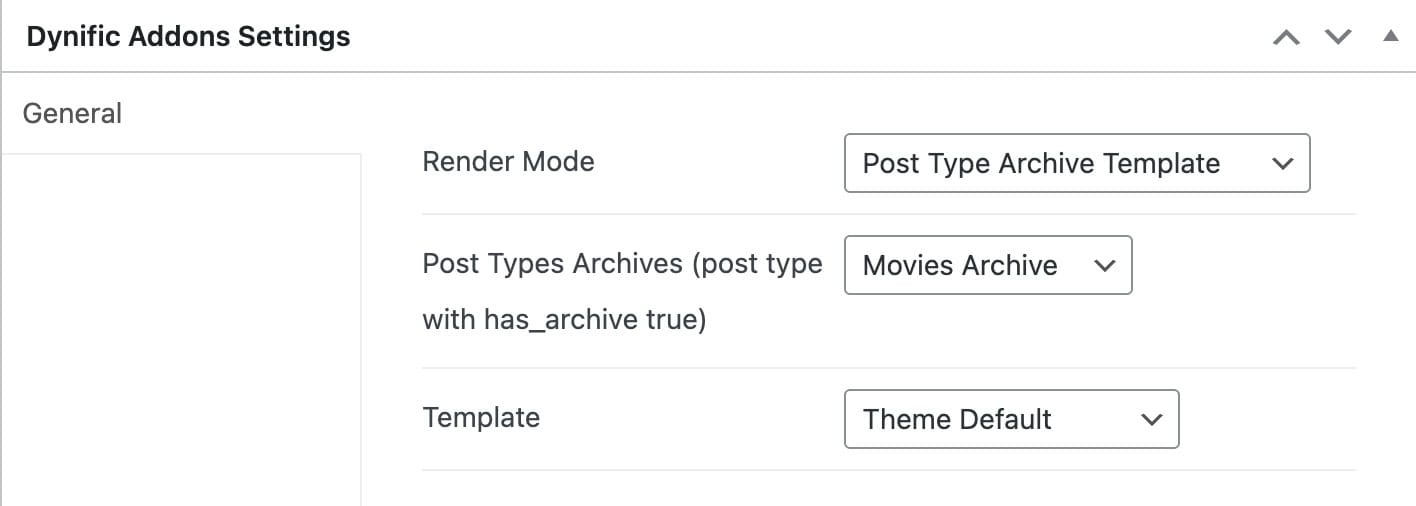
- Under “Dynific Addons for Elementor Settings,” do the following configuration.
- Render Mode: Post Type Archive Template
- Post Type Archive: Select the post type for which you want to create the layout. (Select Post Archive for Blog Page).
- Template: Select layout from options the Default, Elementor full width, or Canvas.
- Now save the DA Template and start designing the page.
Design Your Archive Layout
- Click on Edit with Elementor button.
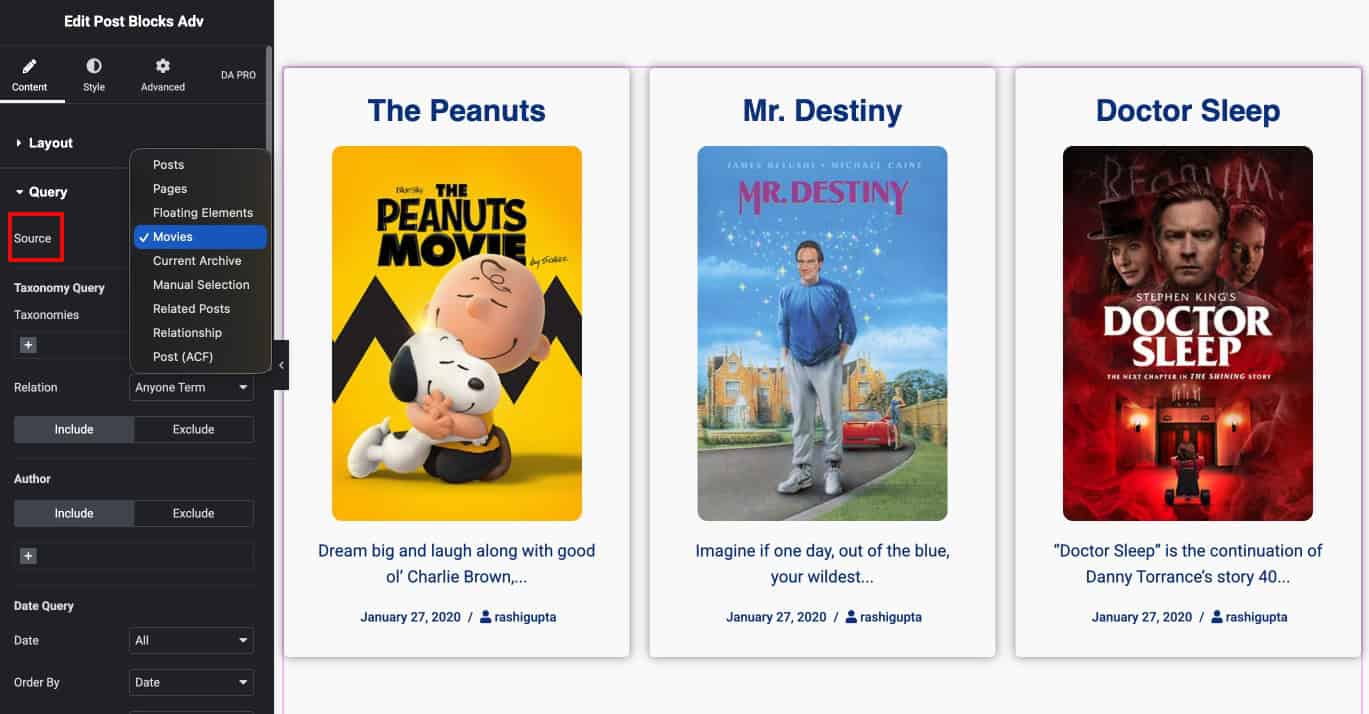
- Add the Post Block Advanced widget from Dynific Addons. This widget will display all posts from your Movies post type.
- Under the layout settings, choose the Block Layout you created earlier.

- Now, move to query settings and set Source as your custom post type (Movies).
- You can also configure number of posts, pagination, layout style, and other settings.
Step 3: Preview on Frontend
Your Movies Post Type Archive Page will now display a fully customized layout with dynamically loaded posts, using your designed block layout.